
Sign up & log in
Phone or e-mail sign-up, KYC and login.
A smooth Pin Up casino deposit turns a new account into a working balance. This guide covers funding options for India-facing users, how to avoid declines from wrong amounts or unofficial links, and what the cashier shows after login. Most supported methods aim for fast confirmation, with method choice, amount entry, and status checks in one place.
New users typically see Top Up / Balance, available payment systems, currency selection (often INR), and a confirmation screen before redirect to a bank app, wallet, card gateway, or crypto transfer.
Here is a compact snapshot of a typical Pin-Up deposit.
Keep these points in mind as you compare payment systems and walk through the cashier steps.
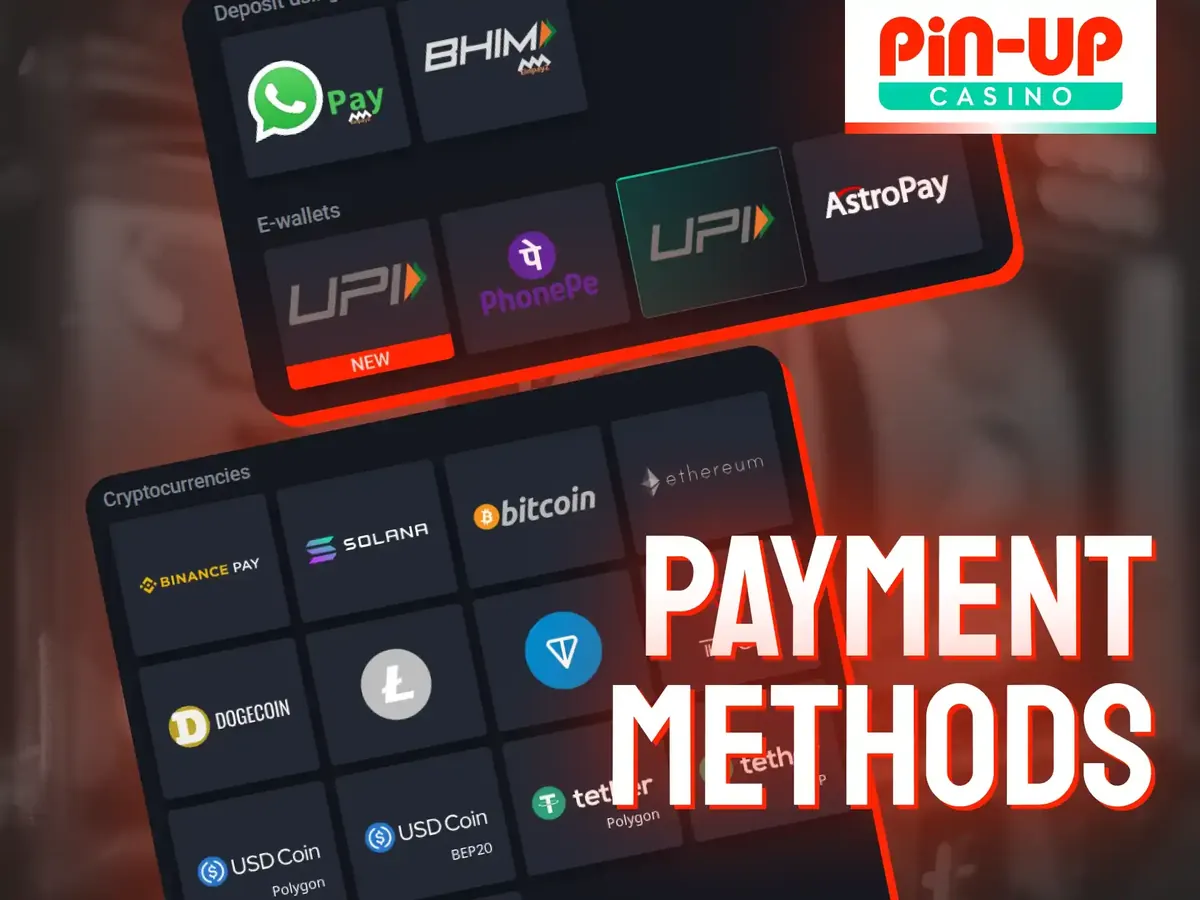
A Pin-Up casino deposit usually relies on localized payment systems. Availability can change by region, account status, and cashier settings, so confirm the live list in your profile first. For accounts opened from India, the cashier may show digital wallets, UPI, IMPS, cards, and cryptocurrencies, with INR among supported currencies where allowed.
Before you pick a route, match the method to your banking habits and planned amount.
Popular options often include:
These systems often support instant funding, but each has its own confirmation style and limit range.
The table below shows how common Pin-Up deposit paths usually differ day to day.
| Payment system | Typical use case | Currency note | Confirmation style |
|---|---|---|---|
| UPI | Everyday small-to-medium top-ups | Often INR | Approve in UPI app |
| IMPS | Bank account transfers | Often INR | Bank confirmation / reference |
| Credit / debit cards | Card checkout forms | INR or listed card currencies | Gateway authorization |
| E-wallets / digital wallets | Existing wallet balances | Depends on wallet | Wallet PIN / OTP / app approve |
| Cryptocurrencies | Crypto wallet funding | Crypto units per cashier rules | Blockchain / wallet send |
Check whether your preferred method appears before you move money. If it is missing, another listed option or a completed profile check may be required first.
A successful Pin Up deposit starts before you tap Pay. Prepare the account, confirm the official website or app, and finish basic security checks. Incomplete profiles, wrong currency assumptions, or expired sessions often cause mobile cashier failures. The walkthrough below follows the usual deposit procedure from login to confirmation.
Follow this short pipeline so each stage is ready before funds leave your bank or wallet.
Confirm the official URL or app source.
Log in or complete registration.
Open Cashier / Top Up / Balance.
Choose a supported payment system.
Enter an amount within the shown limits.
Authorize in the gateway, UPI app, wallet, or crypto wallet.
Return to the cashier and verify the updated balance.
If any step fails, check status before sending a second payment for the same amount.
Start only from the official website or official app. Phishing pages often copy branding and ask for card or UPI details too early. Secure login protects account creation data and later funding attempts.
Use these steps to reach a safe starting point.
Open the official Pin Up site or app from a trusted source.
Tap Log In if you already have an account.
Enter your phone/email and password, or complete any one-time code check.
If you are new, open the registration form and create one account only.
Confirm the session shows your profile before opening the cashier.
After login, never share OTPs or passwords with anyone contacting you about “failed deposits.”
Quick visual check: Before you pay, you should have seen, in this order: the official address with a secure connection, the genuine login or registration form, your account home after sign-in, and a visible Top Up / Balance control.
Those visual checks take seconds and help you avoid cloned pages.
On desktop, the balance top-up control usually sits near the account balance or header wallet. On mobile, look for Cashier, Deposit, Top Up, or Balance in the bottom menu or profile panel. The cashier tab opens the selection screen with available payment systems. Choose a method you can authorize immediately — switching mid-flow can leave a pending status. If both UPI and cards appear, pick the one whose limits fit your intended Pin-Up deposit and the device you have ready.
Enter the deposit amount inside the parameters shown for your method. Amounts outside min/max limits are a frequent cause of decline. After you confirm, the payment gateway may open a bank page, UPI app prompt, wallet approval, or crypto transfer screen.
Run through this checklist before you authorize payment.
Complete every item so the gateway redirect does not fail for a preventable reason.
After authorization, return to the platform and refresh the balance once. Instant methods usually update quickly; if status stays pending, use the FAQ points before sending more funds.
Limits protect payment rails and your account. A Pin-Up deposit can fail simply because the amount sits outside the method window. Processing is often instant after provider approval, and the cashier shows any platform fee before you confirm — but banks, wallets, or blockchain networks can still charge their own fees.
The table below shows how limits, timing, and fees usually work by method; it has no figures because they differ by account. The live cashier values for your account are the ones that count.
| Method | Typical minimum | Typical maximum | Usual processing time | Platform fee note |
|---|---|---|---|---|
| UPI | Low entry for small top-ups | Method-based daily/account caps | Often instant | Check the cashier fee line |
| IMPS | Bank-transfer minimums | Higher bank-side ceilings possible | Fast after bank confirmation | Check bank charges separately |
| Cards | Gateway minimum | Card issuer and cashier caps | Instant to short delay | Issuer fees possible |
| E-wallets | Wallet-specific minimum | Wallet and cashier caps | Often instant | Confirm wallet-side fees |
| Crypto | Network-dependent minimum | Higher ceilings in some cashiers | After network confirmations | Network fee paid by sender |
Treat the table as a planning tool, then verify the exact numbers in your account before you pay.
Expert tip: If a payment is declined, check amount versus limits, available balance in the sending account, and whether a previous attempt is still pending. Sending the same sum twice rarely helps and can create duplicate holds. Wait for one clear cashier status update before contacting support.
Clear limits and fee notes reduce failed Pin Up deposit attempts more effectively than blind retries.
Your first Pin-Up deposit can unlock a starter bonus when the offer is active and you meet the rules – Pin Up currently advertises up to ₹4,50,000 plus 250 free spins, but the qualifying minimum and terms decide what you actually get. Activation is not always automatic: some promotions need a cashier selection, promo code, or package choice before payment.
Read the promotional terms first. Reach the minimum qualifying amount in one eligible deposit, check wagering requirements and expiration rules, and plan the first top-up around those details. Missing the minimum by a small margin is a common reason new players miss the welcome package.
The summary below shows what to verify when linking a starter incentive to your first funding action.
| Bonus checkpoint | What to verify | Why it matters |
|---|---|---|
| Offer availability | Bonus is visible and selectable | Inactive or geo-limited offers will not credit |
| Minimum qualifying deposit | Amount meets the stated threshold | Under-minimum deposits usually fail to unlock |
| Wagering requirements | Multiplier and eligible games/markets | Defines the real cost of bonus value |
| Expiration rules | Time limit for deposit, wagering, or claim | Late play can void remaining bonus funds |
| Max bet / restrictions | Stake caps while bonus is active | Breaches can cancel the promotion |
| Cancellation policy | What happens if you forfeit | Helps you exit cleanly if terms no longer fit |
Use this summary before confirming payment so the starter bonus and your bankroll plan stay aligned.
Trust matters when you enter card numbers, UPI approvals, or wallet credentials. The operator states that it holds a Curaçao licence; verify the current licence details in the footer of the official site before you deposit. Secure transactions rely on SSL/TLS encryption, and a well-run cashier also runs anti-fraud checks on unusual payment patterns. If encryption indicators are missing, the domain looks altered, or forms ask for unrelated credentials, do not proceed.
Warning: Never complete a Pin-Up casino deposit on unofficial mirrors, unknown chat APKs, or pages that ask you to send funds to a private personal account. Real cashiers process payments through named methods inside your logged-in profile. If the payment page feels off, close it and reopen the official source.
Safety checks take less time than reversing a wrong transfer. Keep device locks on, avoid public Wi‑Fi for larger top-ups when possible, and review login history if a payment status looks unfamiliar.
Funding tools should support entertainment, not pressure. Responsible gambling features help with funding limits, cooling-off periods, and self-exclusion. Setting a deposit cap before a large top-up is easier than regaining control after a long session.
Use these account-level controls as a practical bankroll kit.
Turning these tools on early keeps the cashier useful without encouraging reckless spending.
A player sets a fixed weekly INR entertainment budget, enables a matching deposit cap, funds once via UPI, and skips a second top-up after a losing session. The next day the cap blocks an impulse deposit — exactly how the tool should work. That setup protects the bankroll better than chasing losses with repeated Pin Up casino deposit attempts.
Copy the principle even if your numbers differ: decide the limit first, then fund once inside that plan.
Editorially, the Pin-Up deposit experience is strongest when the cashier shows local methods clearly, updates balances quickly, and displays limits before payment. Navigation is straightforward once you know where Top Up / Balance sits, and UPI-style rails are often fast when authorization works first time. Weaker points are familiar: pending gateway sessions, missed bonus minimums, and unofficial lookalike sites.
Taken together, the deposit journey is usable and often fast if you verify limits, stay on the official platform, and fund inside a set entertainment budget.
Phone or e-mail sign-up, KYC and login.
Install paths, device checks and app login.
Demo first, then rules, bets and cash-out.
Codes, no deposit offers and wagering maths.
Cricket to esports: markets, slips and the app.
Payout methods, timing, limits and fixes.
Use the official site, read the offer terms and set your deposit limit first.
18+ only · Terms apply · Gambling is not a source of income